Know exactly what's draining your MacBook battery
Voltscope tracks each app's energy use over time, so you can spot power hogs, stretch battery life, and keep your Mac running longer without a charger.
Why Voltscope
Compared with the tools already on your Mac and other battery monitors.
Your battery, finally under your control.
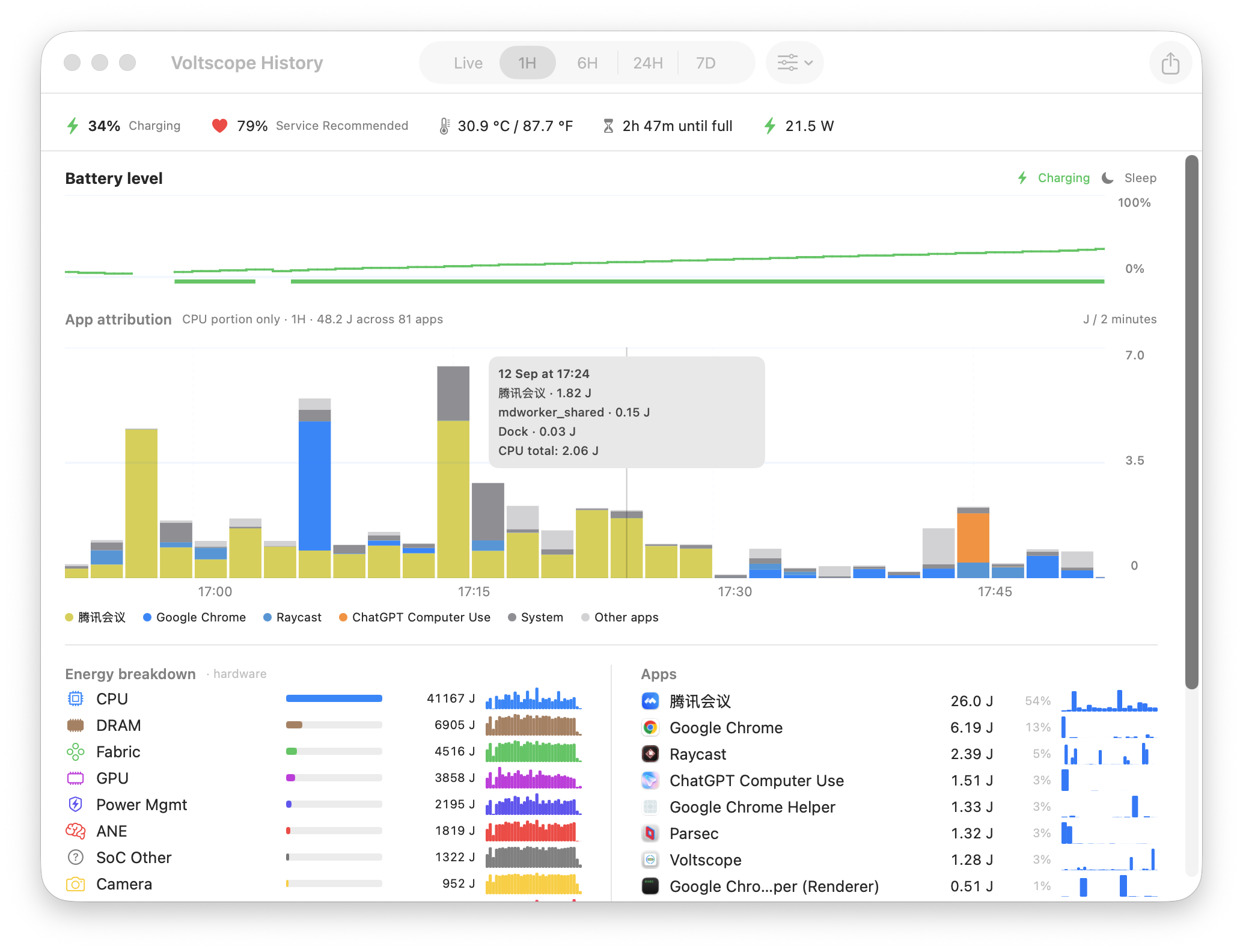
See the real power hogs
See how much energy each app uses, measured with the same system data behind macOS.
Trends that survive reboots
Unlike Activity Monitor which forgets everything on restart, Voltscope keeps days and weeks of history so you can see what's really draining your battery over time.
One app, one row
Chrome and its helpers show as one entry. You get a clear view of each app's energy impact.
Understand every drain
See when your Mac slept, woke, or was plugged in on the same energy timeline. Spot patterns you might otherwise miss.
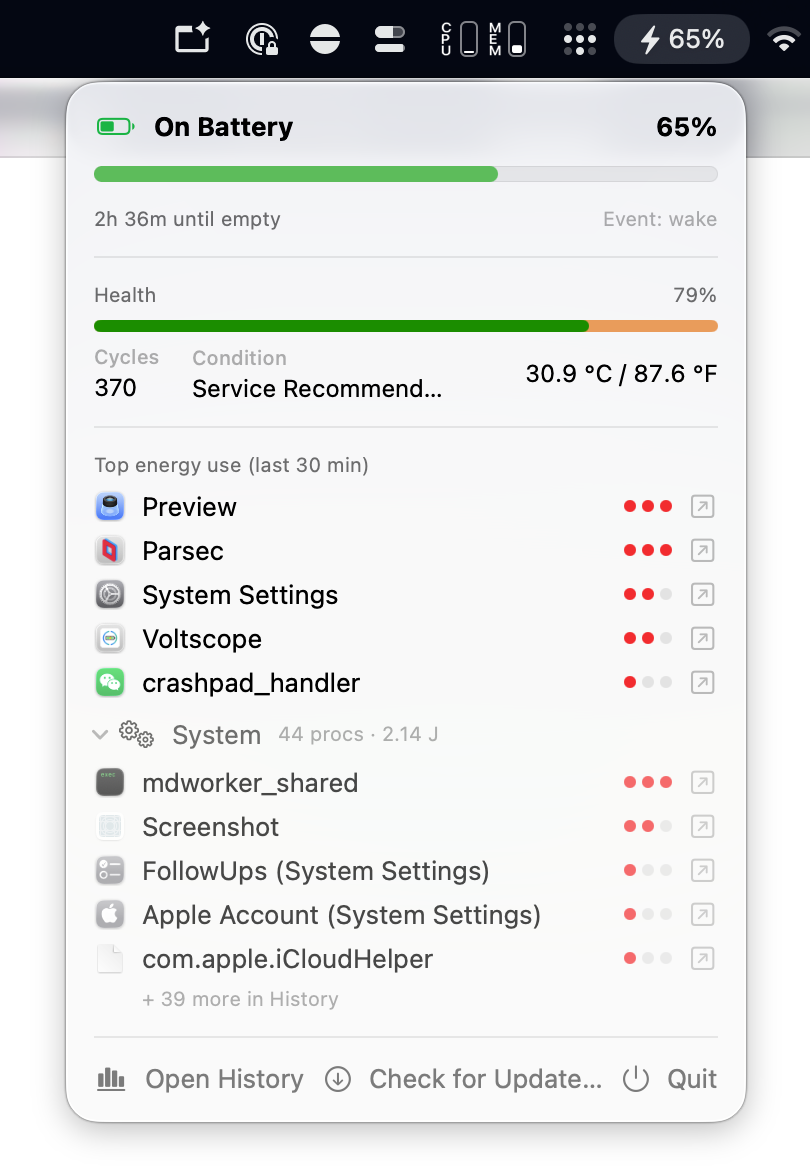
Always visible, never in the way
Live battery stats in your menu bar. Charge level, health, temperature. Click for the full picture. No window clutter.
Your data, your format
Export everything to CSV for spreadsheets or deeper analysis. Your battery data stays on your Mac.
How it works
Voltscope turns your Mac’s battery activity into a clear story you can act on.
Start in seconds.
Download
Grab the latest DMG. One click install, just like any Mac app. No terminal, no compiling.
Open & forget
No sign-up, no permissions, and no background daemons. Open the app and it runs quietly.
Know your battery
Menu bar glance for quick stats. Open the window for beautiful multi-day charts and per-app breakdowns.